Dark Mode
'Dark Mode' allows you to select the App's light/dark theme according to your preferences or ambient light, reducing visual fatigue.
Mode Options
| Option | Description |
|---|---|
| Follow System | Default setting, automatically matches the phone system's dark/light mode |
| Light Mode | Use light theme (bright background) |
| Dark Mode | Use dark theme (dark background) |
Switching Process
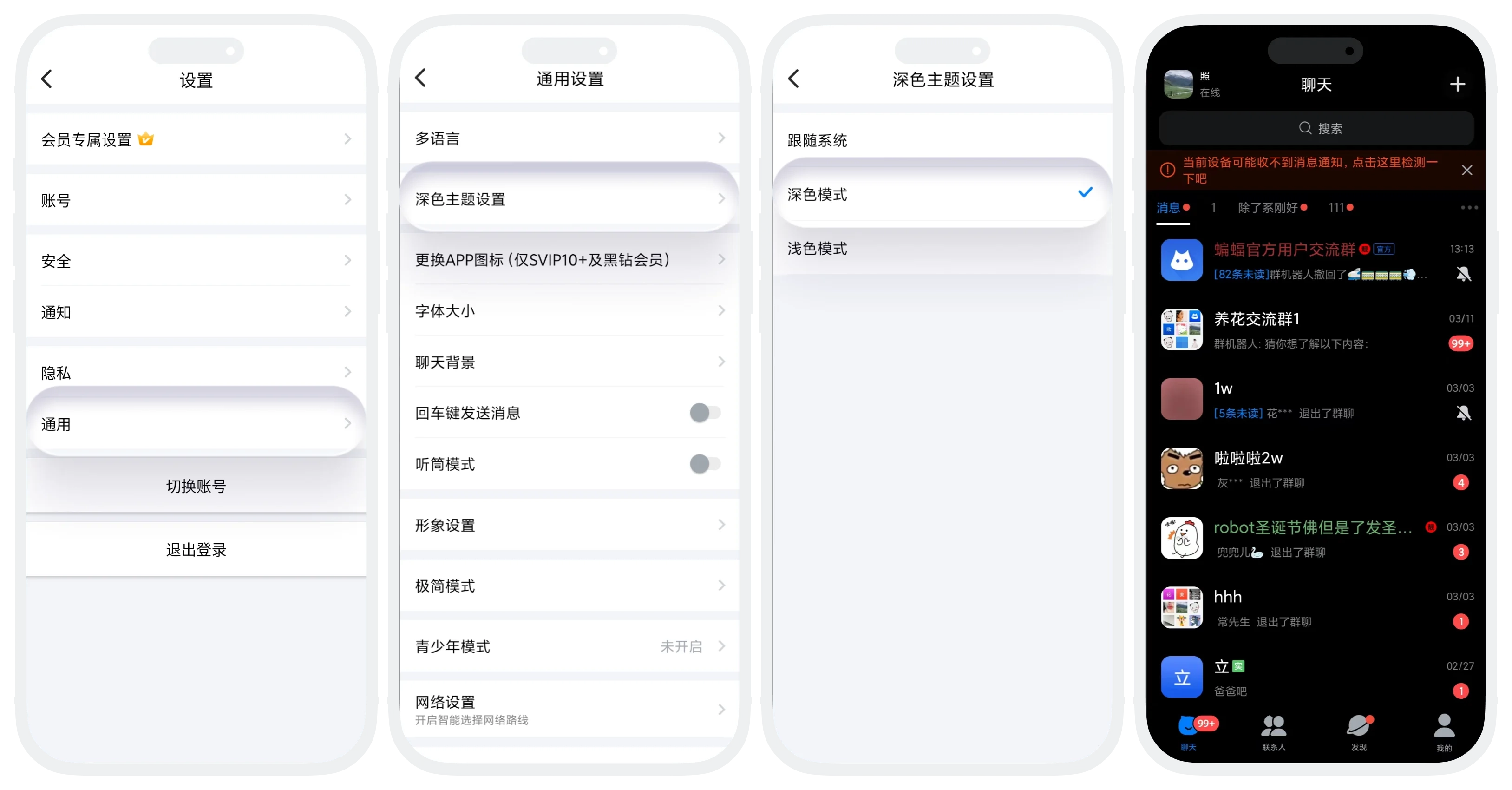
- Enter 'My' - 'Settings' - 'General', click 'Dark Theme Settings';
- Click to select the mode you want and confirm;
- The App automatically restarts, and the theme mode switches to the selected mode.
FAQ
It may be that the page has not been fully adapted to dark mode yet, and will be optimized in subsequent versions. You can feedback the specific page to customer service.
Was this page helpful?